Spending heatmap calendar: See which days cost the most.
Every day of the month is shaded by how much you spent. Darker days cost more, so your spending habits show up without adding anything up.
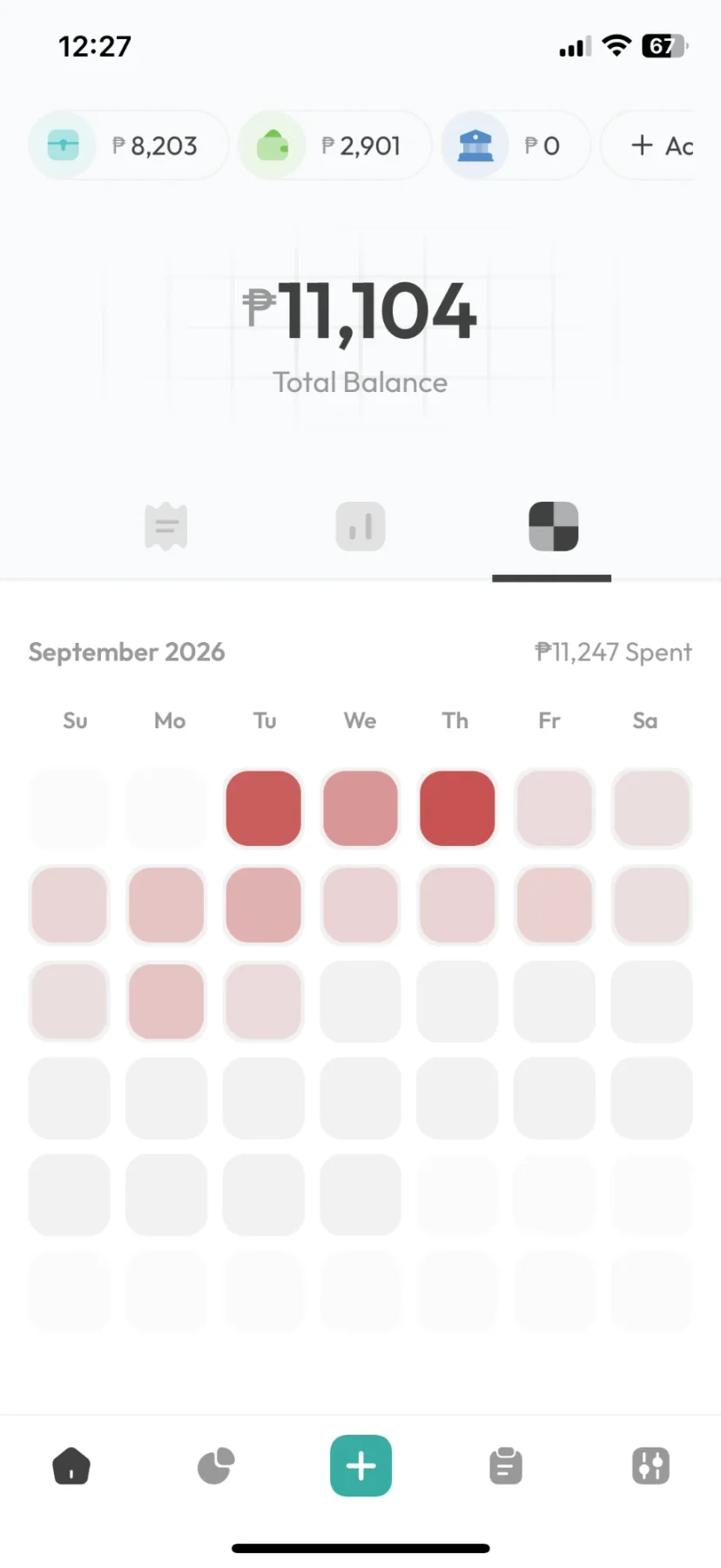
How to read it
Spot your expensive days in one look.
Expensive days stand out and cheap days fade. Look at all your accounts together, or one at a time.
After a month or two, patterns like payday weekends or expensive Fridays are easy to see.
FAQ
Spending heatmap: common questions
A calendar where each day is shaded by how much you spent. It shows when your money goes, like the weekend after payday or the quiet days before the next one.
On Free, this month and the two before it. Older entries are kept, and Pro shows every month.
The Breakdown shows your spending by category. The heatmap shows it by day. Both use the same entries, so they always match.
Related features
Debt tracker
Money you lend and borrow, kept under each person's name with a running balance.
Fast entry
Opens straight to a number pad, so an expense takes about ten seconds to log.
Voice entryPro
Say what you spent in one sentence, then check the entries before they save. The recording stays on your phone.
Multiple accounts
GCash, Maya, bank and cash in one balance.
Works offline
Everything saves on your phone first. The whole app works without signal, except voice entry.
Budgets
Weekly or monthly limits on the spending you want to watch.
Log for a few weeks, then look.
The heatmap is free, and shows this month and the two before it.