Track GCash, Maya, bank and cash in one app: Know your real total, across every account.
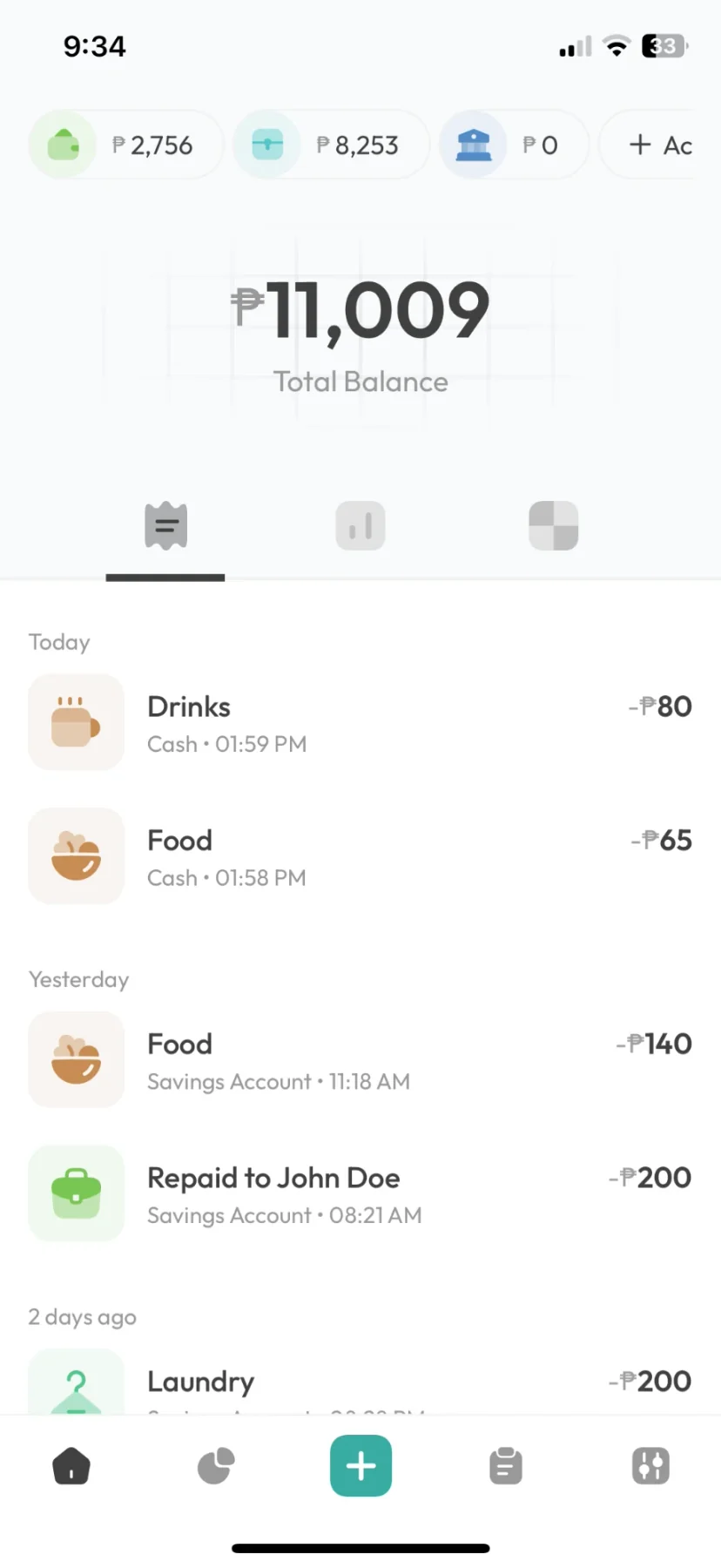
Salary lands in the bank, bills go out through GCash, and the ride home takes cash. Add each one to Kashaa and the home screen shows the total. Nothing gets linked.
The problem
Three apps open and still no total.
Cash, e-wallet top-ups and money from a cousin never show up in a bank feed. For a lot of people, that's most of their money.
Add each account once. After that, every entry updates the right balance and the total.
Account types
A place for every kind of account.
Setup gives you six ready-made accounts to rename or remove, so you can start logging right away.
| Type | What it holds |
|---|---|
| Bank | Checking and savings. |
| Wallet | Cash, and e-wallets like GCash, Maya, Touch 'n Go, GoPay, MoMo or TrueMoney. |
| Credit | Your credit cards. |
| Insurance | Policies you pay into. |
| Investment | A balance you update yourself. Returns aren't tracked. |
Privacy
Kashaa never asks for your bank login.
It has no connection to your bank, so it can't read statements or move money. It doesn't ask for your contacts or text messages either. It only knows what you type in, and we don't sell it.
FAQ
Multiple accounts: common questions
Add each e-wallet as its own account, next to your bank and cash. Kashaa adds them into one balance, and every chart and budget covers all of them.
Yes. Kashaa doesn't link to any wallet, so any e-wallet works: add it as a Wallet account under the name you use, next to your banks and cash.
As a transfer. The money moves from one account to the other, you can add the fee, and it isn't counted as spending.
You pick one currency out of 111, and you can change it in Settings. Accounts in different currencies, and conversion between them, aren't supported.
Three, with unlimited records. Pro raises that to 1,000.
Related features
Debt tracker
Money you lend and borrow, kept under each person's name with a running balance.
Fast entry
Opens straight to a number pad, so an expense takes about ten seconds to log.
Voice entryPro
Say what you spent in one sentence, then check the entries before they save. The recording stays on your phone.
Works offline
Everything saves on your phone first. The whole app works without signal, except voice entry.
Spending heatmap
A calendar where each day is shaded by how much you spent.
Budgets
Weekly or monthly limits on the spending you want to watch.
See your real total.
The free version covers three accounts, with no time limit.