Weekly and monthly budget planner: Set a limit, then just keep logging.
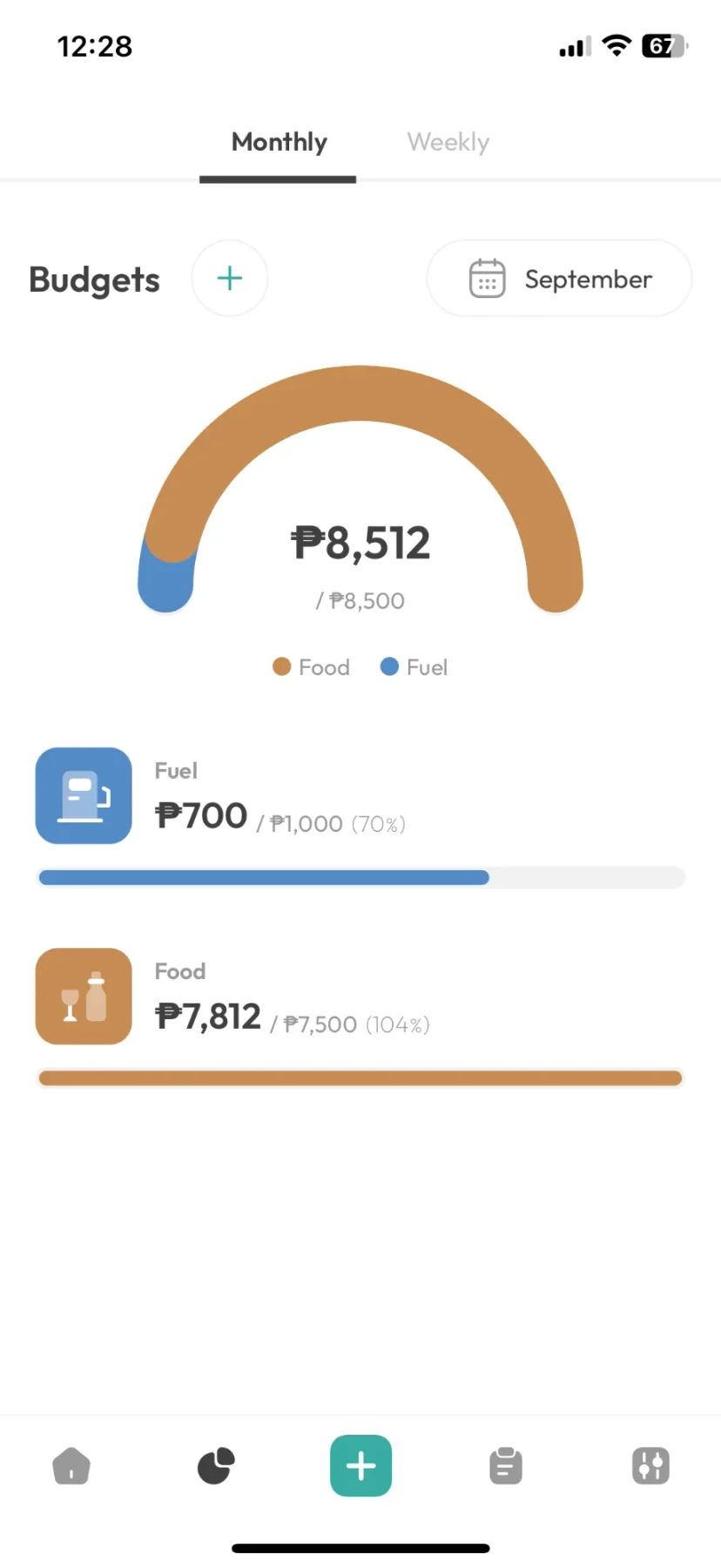
Choose what to watch, like eating out or getting around, and set a weekly or monthly limit. Everything you log there counts toward it, with nothing extra to update.
Setting one up
Group the spending you want to keep an eye on.
An “Eating Out” budget could cover Restaurants, Coffee and Food Delivery. You decide what goes together.
Budgets read straight from your entries, so they always match what you logged.
Progress
See what's left before you spend it.
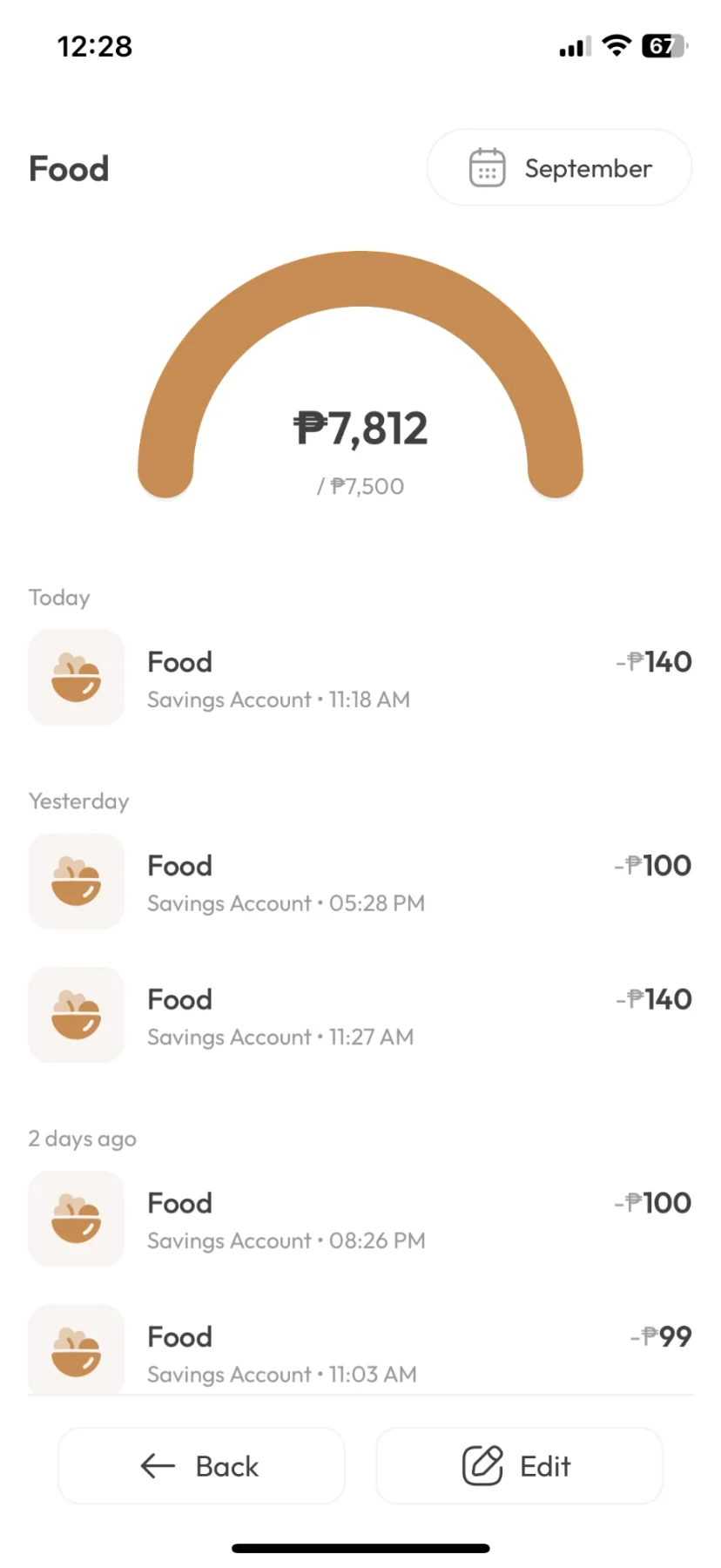
Keep logging as usual and each budget fills up on its own. Tap one to see every entry that went toward it.
- Weekly or monthly, per budget.
- Give each one its own icon and colour.
- Free shows three months of history; Pro shows all of it.
FAQ
Budgets: common questions
Monthly works for rent and bills, and runs from the 1st to the end of the month. Weekly works better for food, transport and coffee, whether you're paid twice a month or once. There's no twice-a-month option or custom start day yet.
No. Any expense you log in the budget's subcategories counts toward it automatically.
Three, covering this month and the two before it. Pro allows 1,000 and shows every month.
Related features
Debt tracker
Money you lend and borrow, kept under each person's name with a running balance.
Fast entry
Opens straight to a number pad, so an expense takes about ten seconds to log.
Voice entryPro
Say what you spent in one sentence, then check the entries before they save. The recording stays on your phone.
Multiple accounts
GCash, Maya, bank and cash in one balance.
Works offline
Everything saves on your phone first. The whole app works without signal, except voice entry.
Spending heatmap
A calendar where each day is shaded by how much you spent.
Set a limit you’ll stick to.
Three budgets on the free tier, up to 1,000 on Pro.